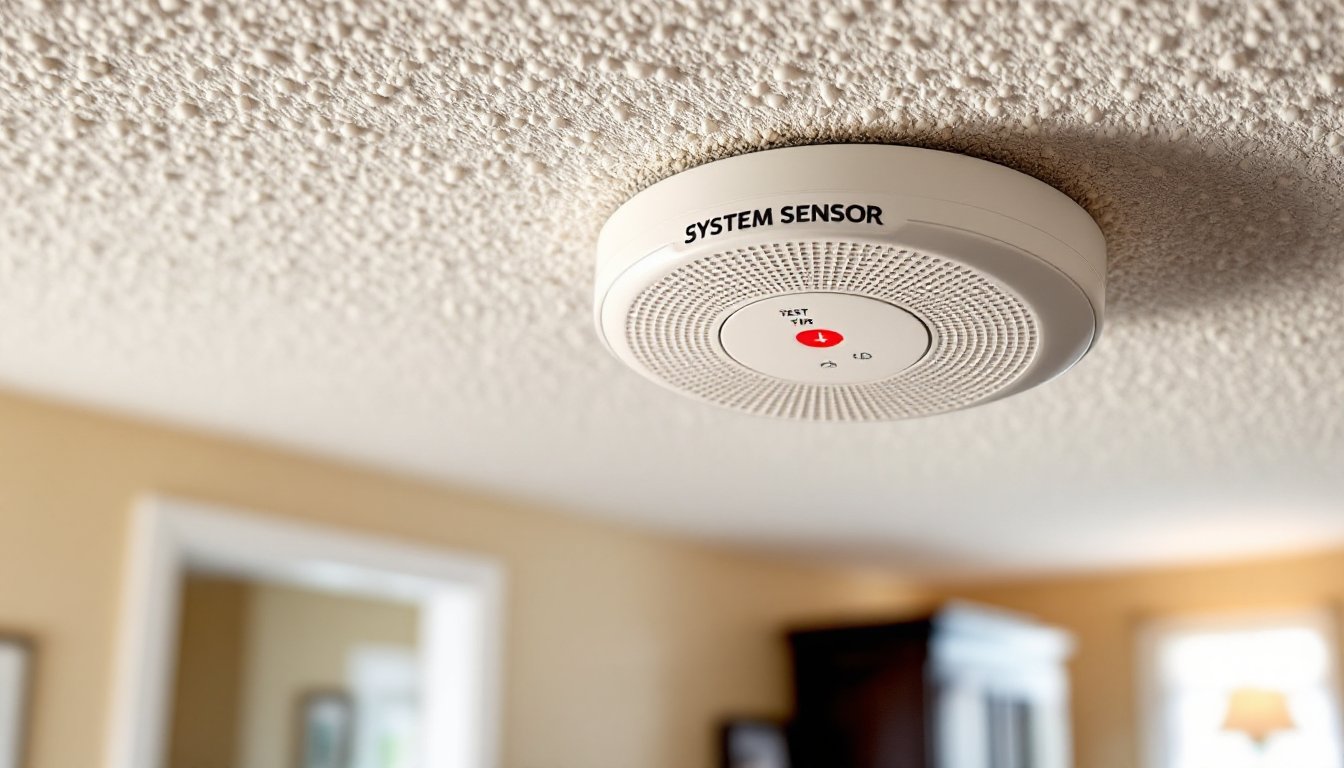
System Sensor fire alarms are a critical layer of protection for any home, detecting smoke and heat before a small fire becomes a life-threatening emergency. Whether you’re upgrading an older system or installing alarms for the first time, understanding how they work and how to maintain them can make the difference between a close call and a tragedy. This guide walks you through what System Sensor alarms are, why they matter, and how to install and maintain them properly, all without contractor jargon getting in your way.
Table of Contents
ToggleKey Takeaways
- System Sensor fire alarms use ionization, photoelectric, or dual-sensor technology to detect smoke and heat, with dual-sensor models recommended for comprehensive protection against both flaming and smoldering fires.
- Proper placement of System Sensor alarms within 12 feet of bedrooms, in hallways, kitchens, and every level of your home maximizes early fire detection and can cut the risk of dying in a fire by roughly half.
- Installation is straightforward for battery-operated models but requires a licensed electrician for hardwired versions, which need proper permits and inspections to comply with local fire codes and NFPA 72 standards.
- Monthly testing by pressing the test button and annual battery replacement (preferably during daylight saving time transitions) are critical maintenance tasks that ensure your alarms remain functional and reliable.
- System Sensor alarms should be replaced every 10 years as sensors degrade over time, and you should avoid common mistakes like disabling them due to false alarms or painting over vents that interfere with detection.
What Is a System Sensor Fire Alarm?
A System Sensor fire alarm is a detection device that uses specific sensing technology to identify smoke or heat in your home and sound an alert. System Sensor is a well-established manufacturer of commercial and residential fire detection equipment, and their alarms are engineered to meet strict National Fire Protection Association (NFPA) standards.
These alarms come in two main styles: hardwired units (powered by your home’s electrical system) and battery-operated units. Hardwired alarms offer continuous protection without battery replacement but require running electrical wire through walls during installation. Battery-operated alarms are faster to install and work anywhere, you just need to swap out batteries annually.
The key advantage of System Sensor alarms is their reliability and compliance with building codes. Many jurisdictions require fire alarms to meet NFPA 72 standards, and System Sensor units are designed with this in mind. When you buy a System Sensor alarm, you’re getting equipment tested by third-party labs and backed by decades of industry experience.
Key Features and Types of System Sensor Alarms
System Sensor offers a range of fire alarms tailored to different needs. Some models are simple single-sensor devices: others are dual-sensor units that combine detection technologies for faster response times. Many newer models include wireless interconnection, so when one alarm detects smoke, all alarms in your home sound simultaneously, critical in homes where bedrooms are far from kitchens.
Another feature worth noting is “silence capability.” Accidental alarms from cooking smoke can be annoying, and some System Sensor models let you press a button to silence the alarm for 15 minutes while you air out the kitchen. This prevents false alarms from making you disable the unit entirely.
Some models also include strobe lights and loud horns (up to 85 decibels) to alert people who are deaf or hard of hearing, an important accessibility feature many overlook. Check local codes to see if your jurisdiction requires this.
Ionization vs. Photoelectric Detection
System Sensor alarms use one of two detection methods, or both in dual-sensor models.
Ionization alarms contain a small radioactive source that ionizes air in a detection chamber. When smoke particles enter, they disrupt the ionization and trigger the alarm. Ionization detectors are faster at detecting flaming fires (the kind that spread quickly) but slower at detecting smoldering fires (like a burning couch that produces lots of smoke before flames).
Photoelectric alarms use a light beam and a sensor. When smoke scatters the light beam, the sensor detects the change and triggers the alarm. These are better at catching smoldering fires early but may be slower on flaming fires.
The National Fire Protection Association recommends dual-sensor alarms in homes for the fastest overall detection. A System Sensor dual-sensor model covers both fire types, giving you peace of mind. If budget is tight, install ionization alarms in living areas and photoelectric in bedrooms.
Why System Sensor Alarms Matter for Home Safety
Fire safety statistics are sobering: the U.S. Fire Administration reports that working smoke alarms cut the risk of dying in a reported fire roughly in half. Yet roughly one in four homes either lack working alarms or have alarms with dead batteries.
System Sensor alarms matter because they’re engineered for reliability. A fire can spread at an astonishing rate, in as little as 5 minutes, a small fire can become a life-threatening blaze. The few extra seconds a reliable alarm gives you can mean the difference between evacuating safely and being trapped.
Homeowners often delay installing alarms because they think of them as a “someday” project. But if your home was built before 2000, it likely has no alarms or older units past their 10-year lifespan. Even if your alarms are newer, many people forget to test them or replace batteries. A System Sensor alarm with a clear installation and maintenance routine removes that guesswork.
Insurance companies also recognize this value. Many offer discounts on homeowners’ policies if you install and maintain alarms according to code. Some offer an extra discount if you add a wired home alarm system that integrates fire detection with burglary protection, a common upgrade in modern homes.
Installation Best Practices for Homeowners
Installing System Sensor alarms is straightforward for battery-operated models and moderately complex for hardwired versions. Here’s how to do it right.
Step 1: Plan Your Alarm Layout
First, check your local fire code (usually available through your city or county building department). Most codes require alarms in bedrooms, hallways, and kitchens. A good rule: place an alarm within 12 feet of any bedroom and on every level of your home, including basements and attics.
Battery-operated alarms should go on ceilings near center of the room, or on walls 4 to 12 inches below the ceiling (smoke rises). Avoid placing alarms near windows, outside doors, or vents where drafts can interfere with detection.
Step 2: Gather Tools and Materials
For battery-operated alarms, you’ll need a drill, drywall anchors (if mounting on drywall), a pencil, and the mounting bracket that comes with the alarm. For hardwired alarms, you’ll also need electrical wire (typically 14-gauge Romex cable), a junction box, wire strippers, a voltage tester, and potentially a breaker and panel upgrade (which may require a licensed electrician depending on your code).
Step 3: Mount the Alarm
Mark the spot with a pencil. For ceiling mounts, use a stud finder to locate joists: anchor into wood when possible. If you’re in drywall, use heavy-duty drywall anchors rated for the alarm’s weight (usually 8–12 ounces). Drill pilot holes to prevent the anchor from stripping.
Insert the mounting bracket, align the alarm body, and twist or screw to secure. The orientation varies by model, so check the manual.
Step 4: Hardwired Installation (Optional)
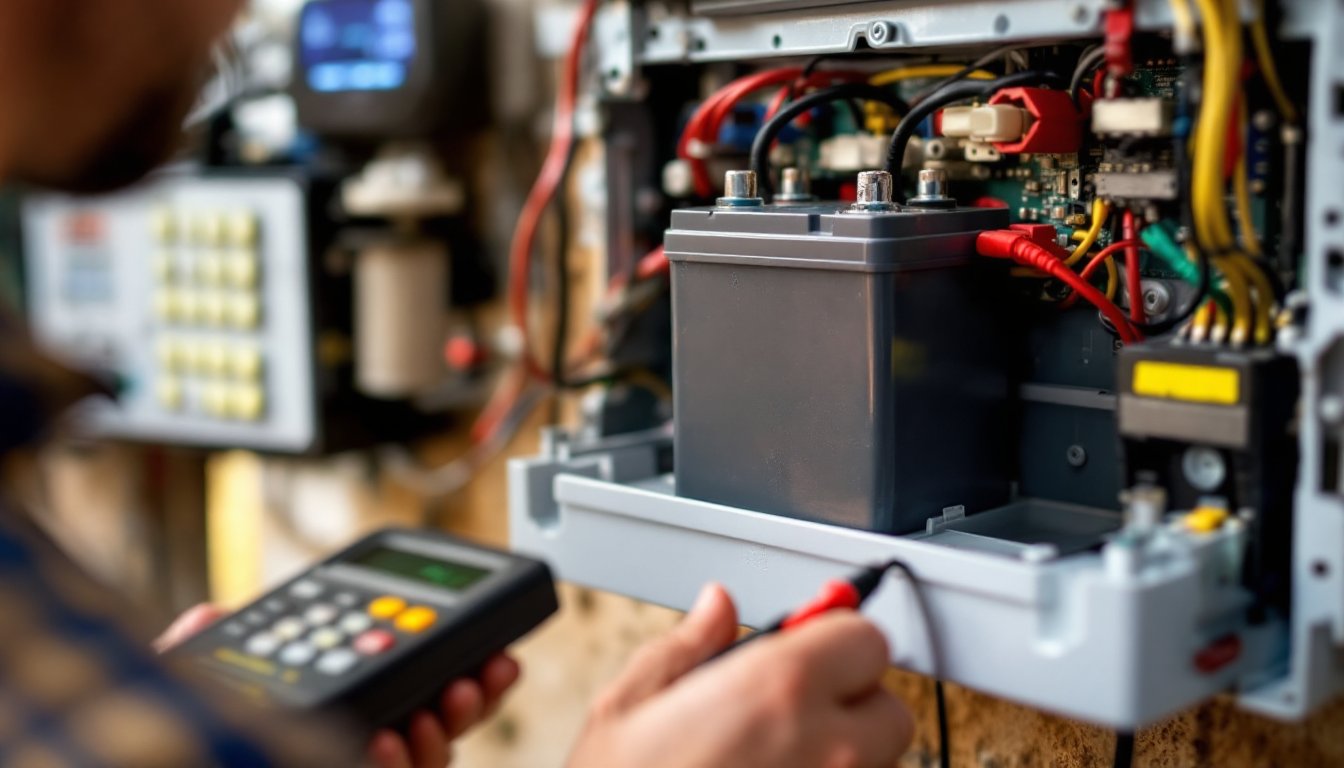
If you’re installing hardwired alarms, turn off the relevant breaker and use a voltage tester to confirm power is off. Run 14-gauge Romex cable from your breaker panel through the walls to each alarm location. This is where homeowners often get stuck, running wire through existing walls is messy and may require cutting drywall. If you’re not comfortable with this, hire a licensed electrician. Most jurisdictions require permits for hardwired circuits, and inspections ensure everything is safe.
Connect the black (hot) wire, white (neutral), and ground to the alarm’s terminal block using wire nuts or a push-in connector, following the manual. Some alarms also support wireless interconnection with a small plug-in module, which is easier than running extra wire.
Step 5: Test and Document
Once installed, press the test button and hold for a few seconds. The alarm should sound loudly. If you installed multiple alarms, hardwired versions should all sound together: wireless versions should also activate each other. If not, check battery polarity and connection points.
Many homeowners skip this step and regret it later when an alarm fails silently. Testing takes 30 seconds and is non-negotiable.
Testing and Maintenance Tips
A fire alarm that’s never tested is just a decorative ceiling fixture. Maintenance is simple but critical.
Monthly Testing
Press the test button on each alarm once a month. If the alarm doesn’t sound, replace the battery (for battery-operated units) or check the circuit breaker and wiring (for hardwired units). Mark your calendar or set a phone reminder: life gets busy, and you’ll forget without a nudge.
Battery Replacement
Swap batteries annually, even if they still have charge. The best practice is to replace them when clocks change for daylight saving time, a memorable prompt. Use only the battery type recommended by the manufacturer (usually 9-volt or AA alkaline). Don’t mix old and new batteries in the same alarm.
Cleaning
Dust accumulates on alarms and can interfere with detection. Use a vacuum with a brush attachment or a dry cloth to gently clean the vents. Do this twice a year. Avoid spraying cleaners directly onto the alarm: they can damage internal components.
Replacement Schedule
System Sensor and most manufacturers recommend replacing alarms every 10 years. After a decade, the sensors become less reliable, even if the alarm still sounds during testing. Write the installation date on the back of each alarm with a permanent marker, or check if it’s printed on the device.
Interconnection and Smart Features
If your alarms are interconnected (hardwired or wireless), test them periodically to ensure all units activate when one detects smoke. Some newer System Sensor models integrate with smart home systems or send phone notifications, check your manual for setup. A motion detector alarm system can complement fire alarms by alerting you to break-ins while fire alarms handle smoke and heat detection, creating a comprehensive safety net.
Avoid Common Mistakes
Don’t disable alarms because of false alarms from cooking. Instead, install one photoelectric alarm in the kitchen (slower to trigger on cooking steam) or improve ventilation. Don’t paint over alarms, paint clogs the vents. Don’t rely on a single alarm in a large home: spread them across levels and bedrooms. And never leave dead batteries in an alarm: it won’t work, and you might forget to replace them.
For comprehensive product comparisons and testing standards, resources like Tom’s Guide and Digital Trends regularly review home safety equipment and can help you compare System Sensor models with competitors. Good Housekeeping also publishes tested recommendations for fire safety products that meet real-world performance standards.
Conclusion
System Sensor fire alarms are a proven investment in your home’s safety. They’re affordable, reliable, and easy enough for homeowners to install and maintain themselves. The key is choosing the right type for your home, installing them correctly according to code, and sticking to a simple maintenance routine. Start by checking your local fire code, choosing between battery-operated and hardwired models, and committing to monthly testing. Your family’s safety isn’t something to leave to chance, install those alarms, test them regularly, and sleep soundly knowing you’ve done your part.